

To download a ticket or Season Ticket, click the link(s) on the email you have received from the Club and follow the on-screen instructions.
Attendees are advised to download their ticket(s) to the appropriate wallet on the mobile device they will be using for the match at the earliest opportunity and in advance of arriving at Hill Dickinson Stadium.
Alternatively, if a supporter has the Official Everton app installed on their phone, they can go into the ‘Tickets’ section, where they will be able to download their ticket(s) directly to their mobile wallet. All tickets being used should be downloaded to the wallet on the phone before entry to the stadium is attempted.
For e-tickets to work at the turnstile, they MUST be download into an Apple Wallet or Google Wallet (Android). A screenshot of the digital ticket WILL NOT permit access into the stadium.
Android users are advised to download the Google Wallet app and choose Chrome as their default browser. Other wallet or pass apps on Android phones may not work at the turnstile. Users of Android devices should also ensure NFC - the technology behind contactless entry - is switched on.
To do this, head to Google Wallet, then ‘Settings’, then ‘Contactless Setup’. At this point NFC should be switched on and Google Wallet set as the ‘default’ payment option. For further instructions on using digital tickets on Android devices, click here.
All supporters are reminded to charge their phones before heading to Hill Dickinson Stadium. It is also advisable to ensure there are no bank cards or other contactless cards at the back of your phone case as these could interfere with the e-ticket or the reader on the turnstile.
USING DIGITAL TICKETS TO ENTER HILL DICKINSON STADIUM
The Hill Dickinson Stadium ticket office will be open on the day of the match/event and can be located in the south-east corner of the stadium, near to The Budweiser Plaza.
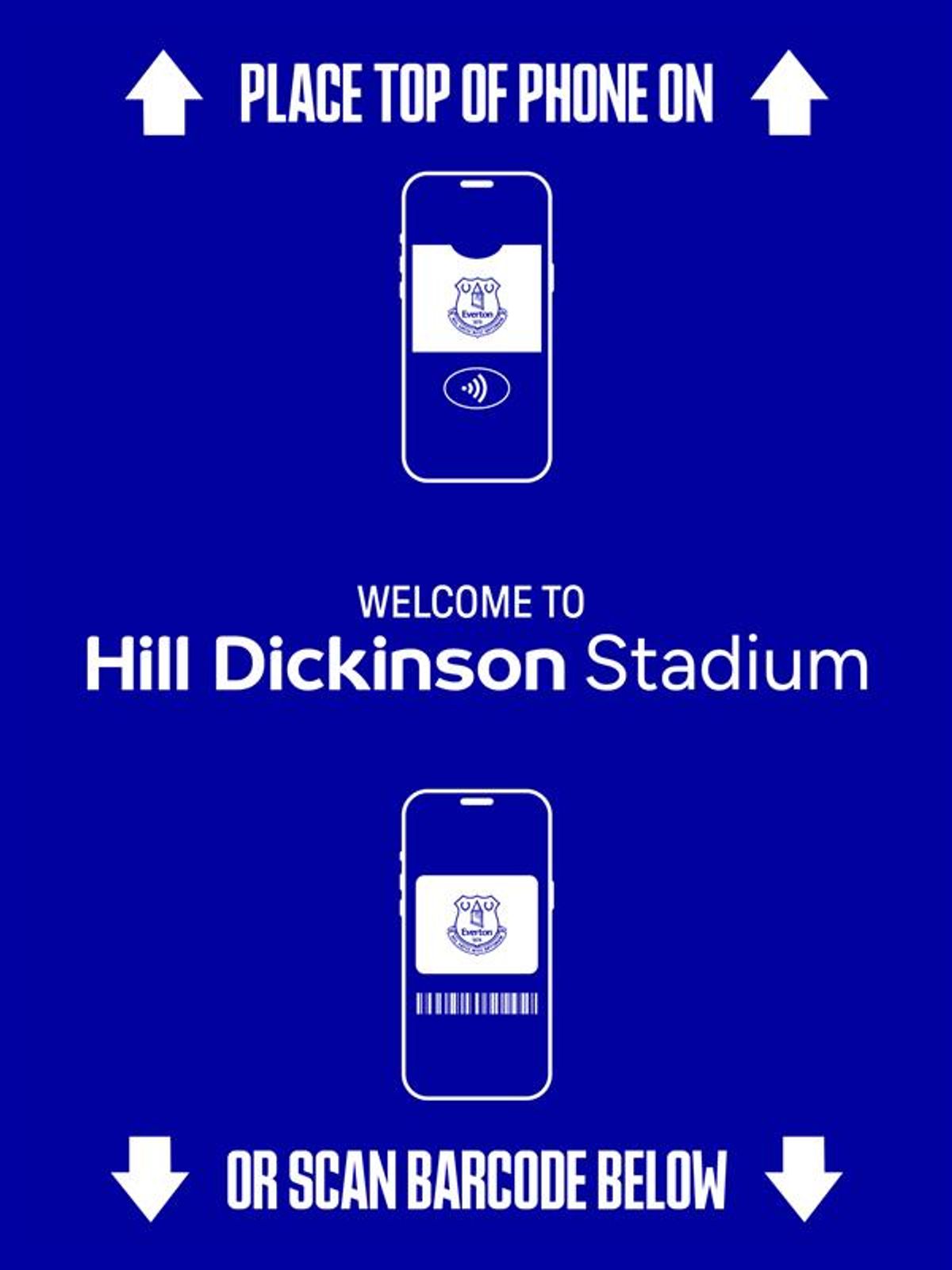

To gain entry, you will be required to hold the phone with the Apple or Google wallet open close to the contactless reader on top of the turnstile. The screen will turn green for a valid Adult ticket and amber for Concession or Junior tickets.
If the light turns red, entry has not been possible. If this happens, please step away from the queue and locate your nearest steward. Please be mindful that supporters are still familiarising themselves with this technology and we politely ask for patience should your entry to the stadium be delayed.
Please note, supporters with multiple tickets on one device should swipe left and right to switch between e-tickets when entering the stadium and scan each ticket individually to allow access to those in their party.
RESTORING EXPIRED PASSES ON MOBILE WALLETS
If you have downloaded your ticket but it is not appearing in the wallet on your phone, you should check if the ticket has ‘Expired’. Don’t worry, this can be retrieved and your ticket(s) will remain valid.
Apple:
Open the Apple Wallet app and tap ‘View Expired Passes’.
Select the relevant pass/ticket and select ‘Unhide’.
Return to the main Apple Wallet screen, where your pass/ticket should reappear.
Please note, before completing these steps, you may need to open your 'Settings' and unhide the option to view/access expired passes.
Android:
Open the Google Wallet app and tap ‘Archived passes'.
Tap on the relevant pass/ticket.
Tap the three dots in the top right corner.
Scroll down and tap 'Unarchive'. You may then be asked to confirm you wish to unarchive the pass/ticket.
Return to the main Google Wallet screen, where your pass/ticket should reappear.
Please note, you may need to ensure 'tap and go' is enabled in your NFC settings.
HOW TO ACCESS SUPPORT
Should you encounter problems downloading your e-ticket(s), please contact the Everton Fan Centre either by emailing servicedesk@evertonfc.com, or by calling 0151 556 1878 during office hours.
The Hill Dickinson Stadium ticket office will be open on the day of the event and can be located in the south-east corner of the stadium, near to The Budweiser Plaza.
FOR DIGITAL TICKETING FAQS, CLICK HERE.






















© Copyright 1878 - 2026 Everton Football Club